If you want to know how to check registered sims on cnic online, you can use official verification methods provided for Pakistani mobile subscribers. Checking the SIMs registered against your CNIC is a useful way to review your mobile connections and identify any SIM that you do not recognize.
The process should always be completed through official and authorized channels. You should avoid websites, apps, or individuals claiming to provide private SIM-owner databases or personal information that is not legally available.
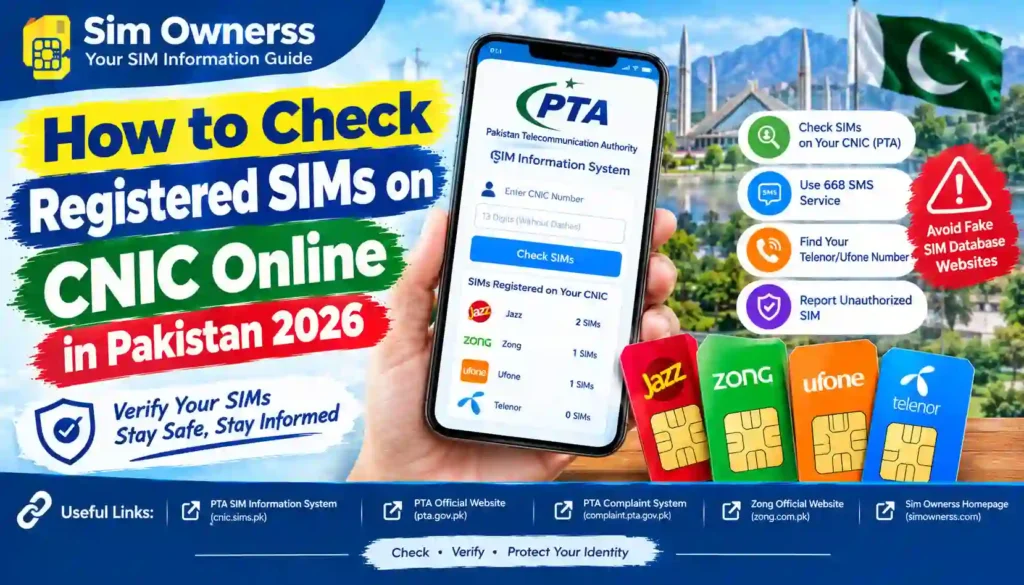
The Pakistan Telecommunication Authority (PTA) has advised users to periodically check the number of SIMs issued in their name. Its cybersecurity guidance specifically mentions checking SIMs associated with your CNIC and taking action if an unauthorized SIM is found.
Basic Information
| Detail | Information |
|---|---|
| Topic | Registered SIMs on CNIC |
| Country | Pakistan |
| Verification Authority | Pakistan Telecommunication Authority (PTA) |
| Required Information | CNIC details |
| Purpose | Check SIMs registered against your own CNIC |
| Recommended Method | Official PTA verification channels |
| Cost | Official verification options may vary |
| Privacy | Do not share your CNIC or personal data with unauthorized websites |
What Does Registered SIM Verification Mean?
A SIM is normally issued after the subscriber’s identity has been verified according to applicable telecom requirements.
When you check registered SIMs against your CNIC, the purpose is to determine how many mobile connections are associated with your identity through the authorized telecom system.
This is different from searching for the private owner of another person’s mobile number. Personal subscriber information should not be obtained through unauthorized databases or leaked records.
In simple terms, the official process helps you review your own SIM registration information rather than exposing someone else’s private information.
How to Check Registered SIMs on CNIC Online
If you’re searching for how to check registered sims on cnic online, follow these general steps:
1. Use an Official PTA Verification Channel
Start with an official PTA-supported SIM verification service or method. Avoid random websites that claim to provide complete SIM databases.
The information displayed through an authorized service should be used only for legitimate verification purposes.
2. Enter Your CNIC Information Carefully
Where an official verification service asks for your CNIC, provide the required information exactly as requested.
Never enter your CNIC number, OTP, fingerprints, or other sensitive information into an unknown website.
3. Complete the Verification Process
Follow the instructions shown by the official service. Depending on the available verification method, you may receive information about the number of SIMs associated with your CNIC.
The exact interface and available options can change, so always follow the latest instructions provided by the relevant authority.
4. Review the SIM Information
After receiving the result, carefully review the information available to you.
If the number of registered SIMs seems different from what you expect, don’t immediately assume that the information is fraudulent. Contact the relevant mobile operator or PTA through an official channel for clarification.
5. Report an Unauthorized SIM
If you discover a SIM that you believe was issued without your permission, contact the relevant mobile operator and use the appropriate official complaint or verification channel.
PTA’s cybersecurity guidance recommends periodically checking SIMs issued in your name and taking steps to block illegally issued SIMs.
Required Documents and Information
For basic SIM registration verification, you may need:
- Your valid CNIC
- Access to an official PTA verification service
- Your own mobile number, where requested by the relevant service
- Additional verification information if required
Keep your original identification documents secure. Do not upload a photograph of your CNIC to an unknown SIM-checking website.
Why Should You Check SIMs Registered on Your CNIC?
Checking your registered SIMs from time to time can help you maintain awareness of mobile connections associated with your identity.
Some general benefits include:
- Better awareness of your registered mobile connections
- Identifying SIMs you no longer use
- Spotting information that appears unfamiliar
- Taking action when an unauthorized registration is suspected
- Improving your personal data security habits
- Keeping your telecom information organized
These are practical verification benefits rather than a guarantee that checking your SIMs will prevent every type of fraud.
PTA has also warned users about SIM-related security threats, including SIM swapping, and recommends protecting personal information and contacting the mobile provider when unusual loss of calls or texts occurs.
PTA SIM Verification and Privacy
Privacy is an important part of SIM verification.
A legitimate SIM-checking process should not be confused with websites that advertise SIM owner names, CNIC numbers, addresses, call records, or other private information about another person.
You should only verify information that you are legally authorized to access.
Avoid Unofficial SIM Databases
Be careful with websites or social media pages promising:
- Complete private SIM databases
- Another person’s CNIC details
- Home addresses
- Call history
- Private subscriber records
- Unverified “SIM owner” searches
Such services may expose your personal information or encourage unauthorized access to private data.
For your own protection, use official PTA and mobile operator channels whenever possible.
What If You Find an Unknown SIM?
Finding an unfamiliar SIM registration can understandably be concerning. The safest approach is to stay calm and verify the information through official channels.
You can:
- Check the information again through the official verification method.
- Contact the relevant mobile operator.
- Ask the operator about the proper process for resolving the registration.
- Submit a complaint through the official PTA complaint system when appropriate.
PTA’s complaint management system provides an official channel for submitting and managing telecom-related complaints.
Contact Details
| Organization | Purpose | Official Channel |
|---|---|---|
| Pakistan Telecommunication Authority (PTA) | Telecom regulation and complaints | Official PTA website |
| Mobile Network Operator | SIM registration and account issues | Operator’s official website/customer service |
| PTA Complaint Management System | Telecom complaints | Official PTA complaint portal |
Official Website
For authoritative telecom information and current regulatory guidance, visit the Pakistan Telecommunication Authority (PTA) official website.
For complaints, you can use the PTA Complaint Management System.
Explore More SIM Verification Guides
If you want more easy-to-understand information about SIM verification, telecom services, and related online procedures in Pakistan, visit Sim Ownerss.
Our website provides informational guides designed to help readers understand official verification processes and use online services more safely.
Frequently Asked Questions
Can I check SIMs registered against my own CNIC?
Yes. Pakistani subscribers can use official PTA-supported verification methods to check SIM registration information associated with their own CNIC.
Is checking registered SIMs on CNIC legal?
Checking SIMs registered against your own CNIC through an authorized channel is a legitimate verification purpose. You should not attempt to obtain another person’s private subscriber information without proper authorization.
Can I check another person’s SIMs using their CNIC?
You should not use unofficial services to obtain another person’s private SIM or CNIC information. Use telecom and PTA channels only for information you are legally authorized to access.
What should I do if I see an unfamiliar SIM?
Contact the relevant mobile network operator and request clarification. If necessary, use the official PTA complaint process to report the issue.
Is every SIM database website trustworthy?
No. A website claiming to have a private or leaked SIM database should not automatically be considered legitimate. Avoid entering your CNIC, OTP, biometric information, or other sensitive details on unverified websites.
How often should I check my registered SIMs?
There is no need to check constantly, but periodically reviewing the SIMs associated with your CNIC is a sensible privacy and account-security practice. PTA itself recommends periodically checking SIMs issued in your name.
Final Thoughts
Knowing how to check registered sims on cnic online can help you stay aware of the mobile connections associated with your identity. The most important point is to use official PTA-supported methods and avoid websites offering unauthorized personal or SIM-owner databases.
If you find something you do not recognize, contact the relevant mobile operator and use official PTA complaint channels when necessary. Most importantly, protect your CNIC and other personal information by sharing it only with trusted, authorized services.
Want to learn more about SIM verification and other useful online services in Pakistan? Visit Sim Ownerss for more simple, practical, and regularly updated guides.