If you have an old, unused, unwanted, or incorrectly registered SIM on your CNIC, you may want to remove it from your name. In Pakistan, this process is commonly known as SIM disowning or disowning a mobile connection.
Keeping track of the SIMs registered against your CNIC is important because your CNIC is linked to your identity as a telecom subscriber. If you no longer use a particular SIM, removing it through the proper operator channel can help keep your telecom records up to date.
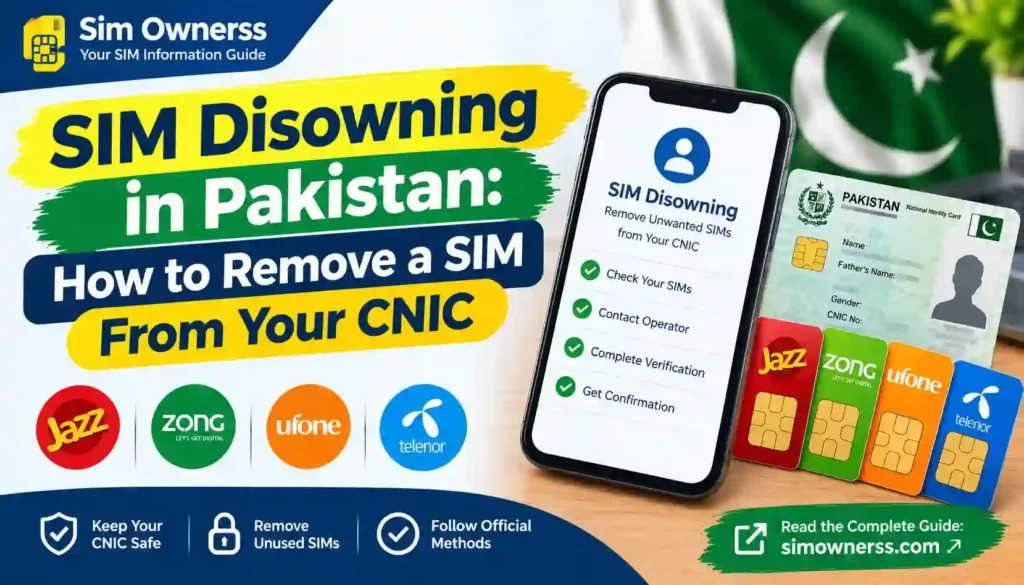
You can first check the number of SIMs registered against your CNIC through the official PTA SIM Information System. The system provides network-wise SIM counts for networks such as Jazz, Telenor, Ufone, Zong and Warid.
For more useful SIM verification guides, you can also visit Sim Ownerss.
Important: SIM disowning is different from simply removing a SIM card from your mobile phone. Taking the physical SIM out of your phone does not automatically remove its registration from your CNIC.
What Is SIM Disowning in Pakistan?
SIM disowning means formally removing a mobile connection from your identity/CNIC through the relevant telecom operator.
For example, suppose you previously purchased a SIM but no longer use it. The SIM may remain associated with your subscriber record until the operator processes the appropriate closure/disowning request.
The exact procedure can vary by operator and situation, but official operator terms confirm that disowning is handled through the operator’s customer/service process and may involve biometric verification.
Jazz’s published SIM terms state that the same biometric procedure used for activation, duplicate SIM issuance and ownership changes also applies to disowning SIMs that were activated through biometric verification.
Zong’s terms similarly state that the procedure applies to disowning SIMs activated through biometric verification.
Ufone’s current general terms also specifically mention disowning SIMs activated through biometric verification.
Why Should You Remove an Unused SIM From Your CNIC?
There are several practical reasons to review and remove SIMs that you no longer use.
1. Keep Your Telecom Record Updated
If you stop using a number, it is sensible to review whether it is still associated with your CNIC.
2. Identify Unknown SIMs
If your PTA SIM Information System shows more SIMs than you expect, you should investigate them instead of ignoring the difference.
3. Reduce Confusion
Old numbers can remain associated with your telecom history. Disowning connections you no longer need can make your records easier to manage.
4. Protect Your Identity
Your CNIC is an important identity document. Regularly checking the SIMs associated with it can help you notice unexpected registrations sooner.
5. Deal With Unauthorized Registrations
If you find a SIM that you never purchased or authorized, contact the relevant telecom operator and, if necessary, escalate the matter through the PTA Complaint Management System.
PTA’s Complaint Management System allows telecom consumers to register and track complaints related to telecommunications services.
How to Check SIMs Registered on Your CNIC Before Disowning
Before asking an operator to remove a SIM, it is useful to determine whether your CNIC actually has unexpected registrations.
The official PTA SIM Information System provides a CNIC-based check for the total number of registered SIMs.
Step 1: Open the PTA SIM Information System
Visit the official:
PTA SIM Information System: cnic.sims.pk
Step 2: Enter Your CNIC
Enter your 13-digit CNIC number in the required field.
Step 3: Complete Verification
Complete the verification shown on the official website.
Step 4: Check the Network-Wise Count
The system can show the number of registered SIMs by network.
The current system displays network categories including:
- Jazz
- Telenor
- Ufone
- Zong
- Warid
- Total SIMs
Important Limitation
The PTA SIM Information System is useful for checking SIM counts against a CNIC, but you should not treat it as a public directory for obtaining another person’s private subscriber information.
If your result shows an unexpected count, the next step is to identify the relevant network and contact that operator through its official customer-service channel.
How to Disown a SIM From Your CNIC
The safest approach is to deal directly with the telecom operator that issued the SIM.
A general process looks like this:
Step 1: Check Your CNIC Registration
Start with the official PTA SIM Information System and note which network has an unexpected or unwanted SIM count.
Step 2: Identify the Relevant Operator
Determine whether the SIM is associated with:
- Jazz
- Zong
- Ufone
- Telenor
- Another telecom operator
Step 3: Visit an Official Service Center or Franchise
For a formal disowning request, use the operator’s official customer-service center, franchise, or other officially provided channel.
Do not hand your original CNIC or biometric information to an unknown shop or unofficial SIM seller.
Step 4: Take Your Original CNIC
Carry your valid original CNIC.
The operator may require identity and biometric verification depending on the type of request.
Step 5: Request SIM Disowning
Tell the customer-service representative that you want to disown/remove the SIM connection associated with your CNIC.
Step 6: Complete Verification
Where required, biometric verification may be performed.
Operator terms indicate that biometric procedures are relevant to SIM disowning for connections activated through biometric verification.
Step 7: Keep the Complaint or Request Reference
If the operator provides a receipt, request number, complaint number, or service reference, keep it until the matter is resolved.
Step 8: Check Again Later
After the operator processes the request, check your SIM registration information again through the official PTA system.
Remember that database updates may not necessarily be instantaneous, so allow the operator’s stated processing period where applicable.
Jazz SIM Disowning
If the unwanted SIM belongs to Jazz, start by contacting Jazz through its official customer-service channels or visiting an official Jazz service/franchise location.
Jazz currently provides customer support through:
- 111 for existing prepaid customers
- 0 42 111 300 300 from other networks
- SIMOSA
- Official Jazz customer-service/franchise channels
Jazz’s official contact page also provides a franchise-finding option and customer complaint facilities.
What to Do
- Take your original CNIC.
- Visit an official Jazz franchise or customer experience center.
- Explain that you want to disown a SIM registered under your CNIC.
- Complete any required verification.
- Ask for confirmation or a reference number.
- Check your registration status again after processing.
Jazz’s SIM terms specifically recognize disowning as part of its SIM-related processes and refer to biometric verification for relevant SIM actions.
Official Jazz: Jazz Customer Support
Zong SIM Disowning
For a Zong SIM, use an official Zong Sales & Service Center, franchise, or Zong’s customer-support channels.
Zong’s official contact page currently lists:
- 310 from a Zong number
- (051) 111-222-111 UAN
- “help” to 310 for product/service information
- Official Zong Sales and Service Centers and franchises
Zong Disowning Process
A practical process is:
- Check your CNIC registration first.
- Identify Zong as the relevant network.
- Visit an official Zong service center/franchise.
- Take your original CNIC.
- Request disowning of the unwanted SIM.
- Complete the required verification.
- Obtain confirmation/reference if available.
- Recheck your registration later.
Zong’s published terms state that the procedure used for biometric SIM-related actions also applies to disowning SIMs activated through biometric verification.
Official Zong: Zong Contact Us
Ufone SIM Disowning
If the unwanted connection is registered with Ufone, contact Ufone through its official customer-service channels or visit an official Ufone office/service center.
Ufone currently lists:
- 333 when calling from Ufone
- 033-11-333-100 for UAN/WhatsApp
- Ufone offices and service locations
Ufone’s current terms specifically state that the same procedure applies to disowning SIMs that were activated through biometric verification.
Ufone Disowning Steps
- Check your CNIC through the official PTA system.
- Confirm that Ufone is the network involved.
- Visit an official Ufone service center or franchise.
- Carry your original CNIC.
- Request SIM disowning.
- Complete biometric verification if required.
- Keep any reference or confirmation provided.
- Check your registration status again after processing.
Official Ufone: Ufone Support
Telenor SIM Disowning
For a Telenor connection, use Telenor’s official customer-service or service-center channels.
Telenor’s official self-service information lists 345 as its individual customer helpline. It also lists *710# as a self-service menu that includes Own Number Status and other SIM-related functions.
However, checking a number or using a self-service menu is not necessarily the same as formally disowning a SIM.
For a CNIC registration issue, contact the operator and follow its current official procedure.
Recommended Steps
- Check your CNIC registration.
- Identify the Telenor registration.
- Contact Telenor customer support or visit an official service point.
- Request removal/disowning of the relevant SIM.
- Complete identity/biometric verification if requested.
- Keep your service request details.
- Recheck your registration after the request is processed.
Documents Usually Needed for SIM Disowning
The exact requirements can vary according to the operator and circumstances, so confirm before visiting.
In a normal case, you should be prepared with:
| Document / Requirement | Why It May Be Needed |
|---|---|
| Original CNIC | Identity verification |
| Relevant SIM, if available | Helps identify the connection |
| Biometric verification | May be required for SIM-related requests |
| Service/request details | Useful for tracking the request |
| Complaint/reference number | Useful for follow-up |
| Additional documents | May apply to special cases |
Important: Do not assume that every operator requires exactly the same documents for every disowning case.
What If You Do Not Have the SIM Anymore?
This is an important situation.
If you lost the SIM, gave it away, changed numbers, or no longer physically possess the connection, tell the operator exactly what happened.
The operator may have additional verification requirements depending on the circumstances.
For example, operator policies can impose additional documentation for special ownership cases. Jazz, Zong and Ufone publish specific requirements for transfers involving deceased subscribers, demonstrating that special cases can require additional documentation and verification.
Therefore, if you do not have the physical SIM, do not attempt to solve the issue through an unofficial SIM seller. Contact the relevant operator first.
What If an Unknown SIM Is Registered on Your CNIC?
An unknown SIM should be treated differently from an old SIM that you simply no longer need.
If you see an unexpected SIM count on your CNIC:
1. Do Not Ignore It
An unexpected registration should be investigated.
2. Identify the Network
Use the PTA SIM Information System to determine which network has the unexpected registration count.
3. Contact the Operator
Visit the operator’s official service center or contact its official customer support.
4. Explain That You Did Not Authorize the SIM
Clearly state that the connection is not yours or was not authorized by you.
5. Complete the Required Verification
The operator may ask you to complete identity or biometric verification.
6. Keep Evidence
Keep copies or references of complaints, service requests, receipts, or other relevant documentation.
7. Escalate If Necessary
If the operator does not resolve the issue, you can consider filing a complaint through the official PTA Complaint Management System. PTA’s CMS is designed for registration and tracking of telecom complaints.
PTA Complaint Portal: PTA Complaint Management System
SIM Disowning vs SIM Blocking
These two terms can be confused.
| SIM Disowning | SIM Blocking |
|---|---|
| Removes/ends your association with a connection through the operator process | Restricts or deactivates the SIM |
| Used when you no longer want the connection under your identity | Often used when a SIM is lost, stolen, or needs immediate restriction |
| Usually handled through the operator | Usually handled through the operator |
| May require identity/biometric verification | Verification may also be required |
| Related to subscriber records | Related primarily to service status |
If your phone or SIM has been lost or stolen, ask the operator about immediate blocking rather than simply waiting for a disowning request.
SIM Disowning vs Changing SIM Ownership
Disowning and ownership transfer are also different.
SIM Disowning
You want to stop the connection from remaining associated with your identity.
Change of Ownership
You want another eligible person to become the registered subscriber.
For example, some operators provide specific procedures for transferring a deceased family member’s SIM to an eligible relative. Jazz, Zong and Ufone all publish special processes for such cases.
Therefore, if someone else is currently using a SIM that is registered in your name, do not simply assume that giving them the SIM means the registration has changed.
The registration should be handled through the operator’s official ownership process.
Can You Disown a SIM Online?
In most situations, you should not assume that a complete SIM disowning request can be finished entirely online.
The PTA SIM Information System is useful for checking the number of SIMs associated with a CNIC, but the actual disowning of a connection is handled by the relevant telecom operator. Official operator terms and customer-service information point users toward operator procedures and, where applicable, biometric verification.
If an operator introduces a new digital disowning facility, use only the operator’s official website, app, or customer-service channel.
Avoid websites claiming that they can remotely remove SIMs from your CNIC without operator verification.
Can 668 Remove a SIM From Your CNIC?
No.
A verification service should not be confused with the actual disowning process.
The important distinction is:
Checking SIM registration ≠ removing a SIM.
The official PTA SIM Information System is designed to help users check the number of SIMs associated with a CNIC. The removal/disowning request needs to be handled through the relevant mobile operator.
For more information about official SIM verification methods, see our internal guide on How to Check SIMs Registered on CNIC.
What If the Operator Does Not Remove the SIM?
If you have contacted the operator but the issue remains unresolved, follow these steps:
- Keep your original service request or complaint number.
- Contact the operator again through an official channel.
- Ask for the status of your request.
- Explain clearly that the SIM is unwanted or unauthorized.
- Keep any SMS, email, receipt, or complaint reference.
- If the issue remains unresolved, consider filing a complaint through PTA’s official CMS.
The PTA Complaint Management System is specifically designed to let telecom consumers submit and track complaints.
Important Safety Tips When Removing a SIM From Your CNIC
Use Only Official Channels
Use official operator franchises, customer service centers, websites, apps, and helplines.
Never Share Your Biometric Information With Unknown People
Your fingerprint/biometric verification is highly sensitive. Do not allow an unofficial individual to perform a SIM-related transaction on your behalf.
Do Not Trust “SIM Owner Database” Websites
Websites claiming to provide private CNIC, address, or SIM-owner databases are not a substitute for official telecom verification.
Keep Your CNIC Secure
Do not send your CNIC image to random WhatsApp numbers, Facebook pages, or unknown websites.
Save Your Complaint Number
If you make a formal request, keep the reference number until the issue is resolved.
Recheck After Processing
After the operator completes the request, check your SIM registration information again.
Quick SIM Disowning Guide
| Situation | Recommended Action |
|---|---|
| Old SIM you no longer use | Contact the relevant operator for disowning |
| Unknown SIM on your CNIC | Contact the operator and report it |
| Lost SIM | Ask operator about immediate blocking and further removal procedure |
| SIM being used by another person | Contact operator about ownership/disowning options |
| Want another person to become owner | Ask operator about official ownership transfer |
| Operator does not resolve issue | Escalate through official PTA complaint process |
| Want to check registered SIM count | Use official PTA SIM Information System |
Official Contact Channels
| Network / Authority | Official Resource | Purpose |
|---|---|---|
| PTA | PTA SIM Information System | Check SIM count against CNIC |
| PTA | PTA Complaint Management System | Telecom complaints |
| Jazz | Jazz Customer Support | Customer support and complaints |
| Zong | Zong Contact Us | Customer support |
| Ufone | Ufone Support | Customer support |
| Telenor | Telenor Self-Service | Self-service and support information |
Frequently Asked Questions
What does SIM disowning mean in Pakistan?
SIM disowning means formally removing or ending your association with a SIM/mobile connection through the relevant telecom operator’s official process.
How can I check how many SIMs are registered on my CNIC?
Use the official PTA SIM Information System. Enter your CNIC to view the registered SIM count by network.
Can I remove a SIM from my CNIC through cnic.sims.pk?
The PTA system is primarily a SIM-count verification facility. The actual disowning request should be made through the relevant telecom operator.
Do I need biometric verification for SIM disowning?
Biometric verification may be required for SIM-related transactions. Operator terms from Jazz, Zong and Ufone specifically reference biometric procedures in connection with disowning SIMs activated through biometric verification.
What should I do if I find an unknown SIM on my CNIC?
Identify the relevant network, contact its official customer-service channel, report the unauthorized registration, and follow the operator’s verification procedure. If the issue is not resolved, you can escalate through the PTA Complaint Management System.
Can another person remove a SIM from my CNIC for me?
Do not assume that someone else can complete the process on your behalf. SIM registration and disowning involve identity verification, so contact the relevant operator and ask about its current requirements.
What if I gave my SIM to someone else?
Giving a SIM to another person does not automatically mean the registration has been transferred. Contact the operator and ask about the appropriate ownership transfer or disowning procedure.
Is SIM disowning the same as blocking a SIM?
No. Blocking generally restricts the service, while disowning concerns your association with the connection as the registered subscriber.
How long does SIM disowning take?
The processing time can vary by operator and request type. Ask the relevant operator for the expected processing time and keep your request reference until completion.
Can I remove all SIMs from my CNIC at once?
There is no reason to assume that a single online button will remove every connection. Each relevant operator may need to process its own connections according to its procedures.
Final Thoughts
SIM Disowning in Pakistan is the appropriate topic to understand when you have an old, unwanted, or unauthorized mobile connection associated with your CNIC.
The safest process is straightforward:
Check your CNIC → identify the network → contact the official operator → complete required verification → keep your request reference → check again after processing.
Do not rely on third-party SIM databases, unofficial agents, or websites claiming they can remove SIMs from your CNIC without proper verification.
Start with the official PTA SIM Information System to understand your registered SIM count, then contact the relevant operator for the actual disowning request.
For additional Pakistan SIM verification information, guides, and educational resources, visit Sim Ownerss
Disclaimer
Sim Ownerss is an independently operated informational website and is not affiliated with PTA, NADRA, Jazz, Zong, Ufone, Telenor, or any other government department or telecom operator.
This article is provided for general educational and public-awareness purposes. SIM registration, disowning, ownership transfer, biometric verification, and telecom complaint procedures may change according to operator policies and regulatory requirements.
For an actual SIM disowning request, always verify the latest requirements directly with the relevant telecom operator or official PTA channels.
We do not provide confidential CNIC records, private SIM-owner databases, personal addresses, or unauthorized subscriber information.