Learn how to check Zong SIMs linked to your CNIC in Pakistan using official methods. Follow this step-by-step guide to check Zong SIM registration and identify unauthorized SIMs.
If you use Zong in Pakistan and want to know how many Zong SIMs are registered against your CNIC, you can check your SIM registration information through the official SIM Information System.
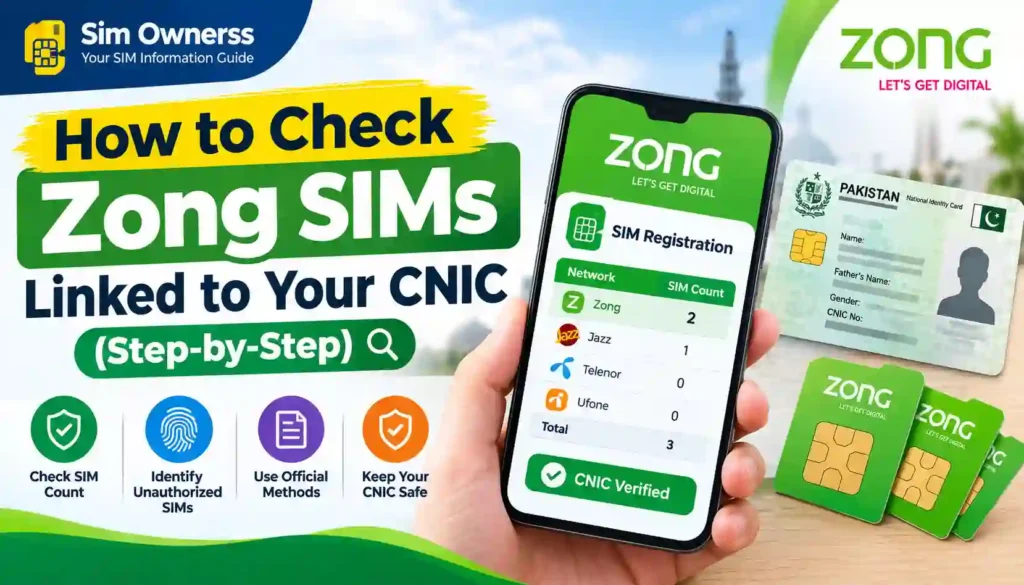
Knowing which SIMs are associated with your CNIC is important for identity protection, SIM management, and preventing unauthorized registrations. If a Zong SIM has been registered using your CNIC without your knowledge, you should investigate the matter through official Zong and Pakistan Telecommunication Authority (PTA) channels.
Many people search for “How to Check Zong SIMs Linked to Your CNIC” because they want to confirm whether their current Zong number is registered in their own name or whether additional SIMs are associated with their identity.
The good news is that you do not need to use an unofficial SIM database to perform this basic check. Pakistan’s official SIM Information System allows users to enter their CNIC and check the number of SIMs registered against it, including network-wise information.
In this guide, we will explain:
- How to check Zong SIMs linked to your CNIC
- How to use the official online SIM Information System
- How to identify the Zong SIM count associated with your CNIC
- Whether you can see complete Zong mobile numbers
- How biometric verification is related to SIM registration
- What to do if you find an unknown Zong SIM
- How to contact Zong customer support
- How to file a complaint with PTA
- How to protect your CNIC from unauthorized SIM registration
- Frequently asked questions about Zong SIM verification
For more Pakistan SIM-related guides, you can also visit Sim Ownerss.
What Does “Zong SIMs Linked to Your CNIC” Mean?
A CNIC is a national identity document used for identification in Pakistan. When a cellular connection is registered through the required verification process, the subscriber’s identity information is associated with the SIM registration.
Therefore, when you check Zong SIMs linked to your CNIC, you are essentially checking whether the official SIM registration record shows Zong connections associated with your identity.
The official SIM Information System provides a CNIC-based facility for checking the total number of SIMs registered against an identity document. Its results can include network-wise SIM counts, including Zong.
For example, a result could indicate something similar to:
| Network | Number of SIMs |
|---|---|
| Jazz | 1 |
| Telenor | 0 |
| Ufone | 0 |
| Zong | 2 |
| Warid | 0 |
| Total | 3 |
If the result shows Zong: 2, that means the system is reporting two Zong SIMs associated with the entered CNIC at the time of the check.
It does not necessarily mean that the online system will display the full mobile numbers or private subscriber information for every SIM.
Can You Check Zong SIMs Linked to Your CNIC Online?
Yes.
The official SIM Information System provides an online method to check SIMs registered against your CNIC.
You can access the official system here:
PTA SIM Information System – cnic.sims.pk
The official page instructs users to enter their CNIC and submit the request to find the total number of SIMs registered against that CNIC.
The system can provide network-wise information, including the number of Zong SIMs associated with the CNIC.
This is useful if you want to answer questions such as:
- How many Zong SIMs are on my CNIC?
- Is my Zong SIM registered against my identity?
- Are there more Zong SIMs associated with my CNIC than I expected?
- Do I need to investigate an unexpected SIM registration?
How to Check Zong SIMs Linked to Your CNIC – Step-by-Step
The following is the easiest online method for checking your Zong SIM registration count.
Step 1: Open the Official SIM Information System
Start by visiting: https://cnic.sims.pk
This is the SIM Information System used to check the number of SIMs registered against a CNIC.
Avoid entering your CNIC on random websites claiming to provide private SIM databases.
Step 2: Select the CNIC Option
The official SIM Information System provides options for identity-based checking.
For Pakistani citizens, select the CNIC option.
Foreign nationals may have a separate option for a Foreign ID, depending on the available system interface.
Step 3: Enter Your 13-Digit CNIC
Enter your own 13-digit CNIC number in the required field.
Make sure the number is entered correctly.
If you enter an incorrect CNIC, the system may return an error or incorrect result.
Important Security Tip
Only enter your CNIC into an official and trusted website.
Your CNIC is sensitive personal information, so avoid submitting it to websites that promise things such as:
- Private SIM owner databases
- Complete CNIC records
- Home addresses
- Private subscriber information
- Fingerprint records
- Live SIM tracking
The official SIM Information System is designed to provide SIM-registration information rather than acting as a public database for private identity information.
Step 4: Complete the Verification
The website may require a verification step before processing your request.
Complete the displayed verification correctly.
If verification fails, try again carefully.
The official system currently displays a verification mechanism and may return a “Verification Failed” message when the verification attempt is unsuccessful.
Step 5: Submit Your CNIC
After entering the required information and completing the verification, submit the form.
The system will process the request and provide available SIM registration information.
Step 6: Look for Zong in the Results
When the result appears, look for the row labeled Zong or ZoNG.
The system can display a network-wise table similar to:
| Network | SIM Count |
|---|---|
| Jazz | 0 |
| Telenor | 1 |
| Ufone | 0 |
| Zong | 2 |
| Warid | 0 |
| Total | 3 |
The official SIM Information System uses network-wise categories and includes a Zong row in its results.
How to Know How Many Zong SIMs Are on Your CNIC
Suppose you check your CNIC and the result shows:
Zong = 3
This indicates that the system is reporting three Zong SIMs associated with your CNIC.
If you personally know about only one Zong SIM, the additional registration deserves further investigation.
For example:
| Your Known Zong SIMs | Official Zong Count | What It May Mean |
|---|---|---|
| 1 | 1 | No obvious difference |
| 2 | 2 | No obvious difference |
| 1 | 2 | Investigate the additional registration |
| 0 | 1 | Contact Zong for clarification |
| 2 | 3 | Investigate the additional registration |
Remember that the online result is a SIM registration count. It should not automatically be interpreted as proof of fraud.
There may be an old SIM, a previous connection, or another legitimate registration that you have forgotten about.
Does the Online System Show the Complete Zong Numbers?
This is an important limitation.
The public SIM Information System is primarily designed to provide the number of SIMs associated with a CNIC by network. The displayed information should not be treated as a public directory containing every subscriber’s full mobile number and private identity information.
For example, if the result shows:
Zong — 2 SIMs
you should understand this as a network-level registration count.
If you need to investigate a particular Zong connection, use official Zong customer-service channels.
Do not rely on unofficial websites claiming to reveal complete private subscriber records.
How to Verify Your Own Zong SIM Registration
If you currently have a Zong SIM and want to make sure it is properly registered, you can start by checking the SIM count associated with your CNIC.
Then compare the result with your known Zong connections.
For example:
You own: 1 Zong SIM
SIM Information System shows: Zong 1
There is no obvious discrepancy in the count.
However:
You own: 1 Zong SIM
SIM Information System shows: Zong 3
In this situation, you should contact Zong through an official channel and ask them to investigate the registrations associated with your identity.
Zong’s published terms explain that SIM activation involves CNIC information and biometric verification through a designated biometric scanner, with the biometric information sent for verification from NADRA.
Is Biometric Verification Used for Zong SIM Registration?
Yes.
Zong’s official terms and conditions explain that when a customer purchases and activates a SIM, the customer provides a valid CNIC and the seller uses a designated biometric scanner to capture the customer’s thumb/finger impression for subsequent verification from NADRA. Zong states that after successful verification, the operator ensures SIM verification within the stated process.
This is why SIM registration should be handled through an authorized Zong sales/service channel.
The process generally involves:
- Providing valid identity information.
- Checking customer eligibility.
- Selecting the mobile connection.
- Capturing the required biometric information.
- Sending the information for verification.
- Completing the SIM verification process after successful verification.
Zong’s terms also state that the same general procedure is used for certain activities such as duplicate SIM issuance, change of ownership, and disowning SIMs that were activated through biometric verification.
Why Is Biometric Verification Important?
Biometric verification helps connect SIM registration with the verified identity of the subscriber.
A mobile number can be used for many important services, including:
- Banking notifications
- Mobile wallets
- Account recovery
- OTP authentication
- Business communication
- Personal communication
- Online account security
For this reason, unauthorized SIM registration can create a security concern.
PTA’s National Telecom CERT has published cybersecurity guidance about illegal SIM issuance and recommends that users periodically check the number of SIMs issued in their name. Its guidance specifically mentions checking through the 668 service and taking action on illegally issued SIMs.
What If an Unknown Zong SIM Is Linked to Your CNIC?
Finding an unexpected Zong SIM count does not necessarily mean that your identity has definitely been misused.
However, it is something you should investigate.
Follow these steps.
1. Confirm the Result
Repeat the check through the official SIM Information System to make sure you entered your CNIC correctly and received a valid result.
2. Identify the Network
If the discrepancy appears under Zong, note the Zong SIM count.
3. Contact Zong
Contact Zong through its official customer support channels.
Zong currently lists 310 as its helpline for calls from a Zong number. It also lists (051) 111-222-111 as its UAN and provides customer service centers and franchises.
Visit Zong’s official Contact Us page
4. Explain the Issue
Tell the representative that the SIM registration count associated with your CNIC does not match your records.
Ask what steps are required to investigate or disown an unauthorized connection.
5. Visit an Authorized Service Center if Necessary
If customer support cannot resolve the issue remotely, visit an official Zong service center or franchise.
Zong maintains an official list of customer service centers and franchises.
Find Zong Customer Service Centers
6. Escalate Through PTA
If you cannot resolve the matter with the operator, you can use PTA’s Complaint Management System.
PTA Complaint Management System
PTA’s CMS allows telecom consumers to submit and track complaints related to telecommunications services.
How to Contact Zong About an Unknown SIM
Zong provides several official customer-service options.
| Method | Details |
|---|---|
| Zong Helpline | 310 from a Zong number |
| UAN | (051) 111-222-111 |
| SMS Help | Send help to 310 |
| Service Center | Visit an official Zong customer service center |
| Franchise | Visit an authorized Zong franchise |
| Online Complaint | Zong provides an online complaint facility |
Zong’s official contact page states that customers can call 310 from a Zong number and can also use the UAN listed above. It also provides links to service centers, franchises, and complaint management.
Zong’s complaint page also directs customers to its 310 helpline and online complaint registration.
What Documents May Be Needed?
If you visit a Zong service center to resolve a registration issue, take your original CNIC and the relevant Zong SIM if you have it.
Depending on the service you request, the operator may require additional information or verification.
A useful preparation checklist is:
- Original CNIC
- Zong SIM, if available
- Your mobile number
- Details of the problem
- Any relevant SMS received from Zong
- Previous complaint/reference number, if applicable
Do not hand your original CNIC or biometric information to an unauthorized individual.
Zong’s official SIM terms state that SIM activation and related processes are conducted through its customer sales/service centers, authorized franchises, or registered retailers, subject to applicable requirements.
Can You Remove an Unauthorized Zong SIM From Your CNIC?
If you discover a Zong connection that you believe is not yours, you should contact Zong and request investigation and the appropriate action.
Do not assume that you can remove it simply by deleting a number from the online SIM Information System.
The online system is primarily an information-checking facility.
The actual resolution of an unauthorized registration needs to be handled through the relevant operator and, where necessary, PTA’s complaint process.
Zong’s terms specifically mention a procedure for disowning SIMs that have been activated through biometric verification.
Therefore, if you find an unexpected Zong registration, ask Zong about the applicable SIM disowning/blocking procedure.
Is It Safe to Use Third-Party Zong SIM Lookup Websites?
It is better to avoid unofficial websites that claim to provide private SIM databases.
You may find websites advertising services such as:
- Zong SIM owner name
- Zong CNIC database
- Zong address lookup
- Zong SIM details by number
- Complete SIM database
- Private biometric records
These claims should not automatically be trusted.
The official SIM Information System provides a specific facility for checking SIM registrations against a CNIC.
If a website asks for your CNIC, phone number, OTP, fingerprint, or other sensitive information without a clear official purpose, stop and verify the website before submitting anything.
Official Method vs Unofficial Zong SIM Check
| Feature | Official Method | Unofficial Website |
|---|---|---|
| CNIC SIM count | Yes | May claim to provide it |
| Network-wise information | Yes | Uncertain |
| Official source | Yes | Usually no |
| Private biometric records | No | Suspicious claims should be avoided |
| Official complaint support | Yes | No |
| Identity protection | Higher when using official channels | Depends on the website |
| Recommended | Yes | No |
The safest approach is to use the official SIM Information System and official Zong support channels.
Can You Check Zong SIMs by Mobile Number?
There is a difference between checking the network of a number and checking the SIM registrations associated with your CNIC.
The official SIM Information System currently states that users can check the network of a number by sending an SMS in the specified format to 76367, with a listed charge of Rs. 2 plus tax.
That service should not be confused with checking all Zong SIMs registered against your CNIC.
CNIC Check
Used to determine how many SIMs are registered against your identity.
Number Network Check
Used to determine the network associated with a specific mobile number.
These are different services.
668 Method for Checking SIMs Registered in Your Name
Another method referenced in Pakistan’s telecom cybersecurity guidance is the 668 SMS service.
PTA’s National Telecom CERT guidance states that users should periodically check the number of SIMs issued in their name by sending their CNIC number to 668 and should block illegally issued SIMs.
Because telecom procedures can change, users should verify the current availability and instructions for SMS-based checking through official sources before relying on a particular shortcode.
The key purpose is the same:
Check SIM registrations associated with your identity and take action if something appears unauthorized.
How Often Should You Check SIMs on Your CNIC?
There is no need to check your CNIC every day.
However, periodic checks can be a useful privacy and identity-security habit, particularly if:
- You have used several SIMs in the past.
- You frequently replace SIM cards.
- You have lost an old SIM.
- You have changed mobile networks.
- You recently completed a SIM replacement.
- You suspect an unauthorized registration.
- You receive an unexpected telecom message.
- Your phone suddenly loses service without explanation.
Regular awareness can help you identify registration discrepancies earlier.
What Is SIM Swap Fraud?
Checking SIM registrations is also relevant to broader mobile-security awareness.
SIM swap fraud occurs when a fraudster attempts to convince a mobile carrier to activate a SIM under the victim’s mobile number.
PTA’s National Telecom CERT explains that in a SIM-swapping attack, a fraudster may trick the carrier into activating a SIM controlled by the attacker, allowing calls and text messages intended for the victim to reach the fraudulent device.
Possible warning signs can include:
- Your phone suddenly loses network service.
- You stop receiving SMS messages.
- You cannot make or receive calls unexpectedly.
- You receive an unexpected SIM replacement message.
- Your financial accounts show suspicious activity.
If you experience unexplained loss of mobile service, contact your operator promptly.
How to Protect Your Zong SIM and CNIC
You can take several simple steps to improve your SIM security.
Use Authorized Zong Channels
Purchase and replace SIMs through authorized Zong service centers, franchises, or approved channels.
Protect Your CNIC
Do not share CNIC copies with unknown people or websites without a legitimate reason.
Be Careful With Biometric Verification
Only provide fingerprints during an authorized verification process.
PTA cybersecurity guidance warns users to be vigilant when providing fingerprint information for SIM-related services.
Do Not Share OTPs
Never give an OTP to someone simply because they claim to be a Zong representative.
Check Your SIM Registrations
Periodically use the official SIM Information System to review the number of SIMs associated with your CNIC.
Contact Zong Quickly
If you see something suspicious, contact Zong rather than relying on unofficial SIM databases.
Benefits of Checking Zong SIMs Linked to Your CNIC
Checking your SIM registration information can provide several practical benefits.
1. Identity Awareness
You can understand how many SIM registrations are associated with your CNIC.
2. Unauthorized Registration Detection
An unexpected Zong count can alert you that further investigation may be necessary.
3. Better SIM Management
It helps you keep track of old or forgotten connections.
4. Security Awareness
Knowing which SIMs are associated with your identity can improve your overall telecom security awareness.
5. Faster Problem Resolution
If you discover an unexpected registration, you can contact the operator sooner.
These are practical informational benefits; checking the SIM count does not by itself prove that a particular registration is fraudulent.
Zong SIM Verification Checklist
Use this checklist when checking your Zong registrations:
| Task | Completed? |
|---|---|
| Open official SIM Information System | ☐ |
| Enter your own CNIC | ☐ |
| Complete verification | ☐ |
| Check Zong SIM count | ☐ |
| Compare result with your known SIMs | ☐ |
| Investigate unexpected registrations | ☐ |
| Contact Zong if necessary | ☐ |
| Visit an authorized service center if required | ☐ |
| File PTA complaint if unresolved | ☐ |
This simple process can help you keep better track of your SIM registrations.
Frequently Asked Questions
How can I check Zong SIMs linked to my CNIC?
Visit the official SIM Information System at cnic.sims.pk, enter your CNIC, complete the verification step, and review the network-wise SIM count. Look specifically for the Zong/ZoNG row.
How do I know how many Zong SIMs are registered on my CNIC?
The official SIM Information System provides network-wise counts. After submitting your CNIC, check the Zong row in the results.
Can I check Zong SIMs registered on someone else’s CNIC?
You should use identity-verification systems for legitimate purposes involving your own identity. Do not attempt to access another person’s private identity information without authorization.
Does the SIM Information System show the Zong owner’s name?
The public SIM Information System is designed to provide SIM registration counts associated with a CNIC rather than functioning as a public directory of private subscriber names.
Does the online system show the full Zong mobile number?
The public CNIC-based system primarily provides network-wise SIM counts. For questions about a particular Zong connection, contact Zong through official customer-service channels.
What should I do if Zong SIMs are showing on my CNIC that I do not recognize?
Contact Zong through its official helpline, service center, or franchise and ask them to investigate the registration. Zong currently lists 310 as its helpline from a Zong number.
What is Zong’s customer care number?
Zong’s official contact page currently lists 310 for calls from a Zong number. It also lists (051) 111-222-111 as a UAN.
Can I visit a Zong service center for SIM registration problems?
Yes. Zong maintains official customer service centers and provides a list of locations on its website.
Is biometric verification required for a Zong SIM?
Zong’s official terms describe a SIM activation process involving CNIC information and thumb/finger verification through a designated biometric scanner, with subsequent verification from NADRA.
What if my biometric verification fails?
Ask the authorized Zong representative for the reason and next steps. Zong’s terms state that where a customer’s thumb/finger impression is not verified by NADRA, the seller is to communicate the reason and the customer may need to contact NADRA for further support.
Can I remove an unauthorized Zong SIM online?
Do not assume that the online SIM Information System can directly remove a SIM. It is primarily a checking facility. Contact Zong and ask about the applicable disowning/blocking procedure. Zong’s terms specifically refer to disowning SIMs activated through biometric verification.
What is the 668 service?
PTA National Telecom CERT guidance has advised users to send their CNIC number to 668 to periodically check the number of SIMs issued in their name and to block illegally issued SIMs.
Is it safe to use unofficial Zong SIM databases?
It is safer to avoid unofficial databases that claim to provide private subscriber or biometric information. Use official PTA, Zong, and other authorized channels instead.
Can I check the network of a mobile number?
The official SIM Information System currently states that users can check the network of a number by sending an SMS in the specified format to 76367, subject to the listed charge.
Final Words
If you want to know How to Check Zong SIMs Linked to Your CNIC, the simplest official approach is to use the PTA SIM Information System.
Go to cnic.sims.pk, enter your own CNIC, complete the verification step, and review the network-wise results. If the result shows a Zong SIM count that does not match the connections you know about, do not immediately assume fraud. Instead, contact Zong through an official customer-service channel and request clarification.
Zong’s official terms confirm that SIM activation involves CNIC information and biometric verification through a designated scanner, with the biometric information sent for verification from NADRA.
For Zong customer support, you can use 310 from a Zong number or the UAN listed on Zong’s official contact page. Zong also provides official customer service centers and franchises across Pakistan.
If your issue is not resolved through the operator, you can escalate the matter through the PTA Complaint Management System, which allows telecom consumers to lodge and track complaints.
Most importantly, avoid unofficial websites claiming to provide private SIM databases, CNIC records, fingerprints, addresses, or other confidential information. Use official sources whenever you need to check or resolve a SIM registration issue.
For more guides about SIM registration, CNIC SIM checks, biometric verification, SIM security, and telecom services in Pakistan, visit Sim Ownerss.
Official Sources
- PTA SIM Information System: cnic.sims.pk
- Zong Official Contact Us: zong.com.pk/contact-us
- Zong Terms & Conditions: Zong SIM Terms
- Zong Customer Service Centers: Zong Service Centers
- PTA Complaint Management System: complaint.pta.gov.pk
- PTA National Telecom CERT: ntcert.pta.gov.pk
- Sim Ownerss: simownerss.com
Disclaimer
Sim Ownerss is an independently operated informational website and is not affiliated with Zong, PTA, NADRA, FIA, or any other government department or telecom operator. This article is provided for educational and public-awareness purposes. SIM registration procedures, short codes, service availability, and operator policies can change, so readers should verify important information through the relevant official website, customer-service channel, or authorized service center before submitting personal information.