If you want to learn How to Check Ufone Sim Owner Details 2026, it is important to understand the difference between checking your own SIM registration and trying to access another person’s private information.
In Pakistan, SIMs are issued after subscriber verification. Ufone also states that SIMs should be issued through biometric verification. Therefore, genuine SIM ownership information should only be checked through authorized and legal methods.
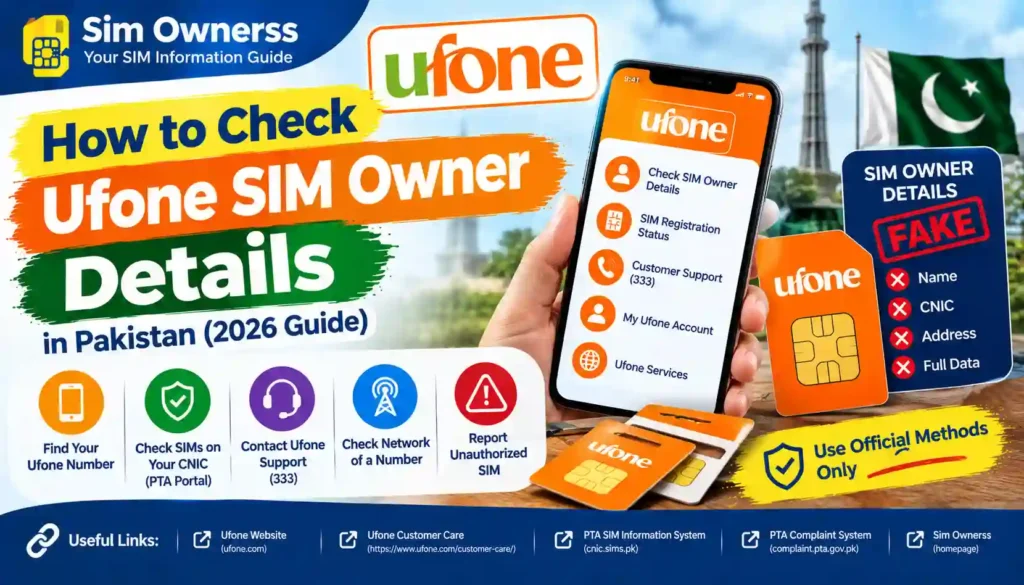
This guide explains the safe ways to verify a Ufone SIM, what information you may need, where to get help, and what to avoid when searching for SIM owner details.
Overview: How to Check Ufone Sim Owner Details 2026
A Ufone SIM is linked with the subscriber information collected during registration. If you own a Ufone SIM and want to confirm its registration, you should use official verification channels rather than websites claiming to provide private SIM databases.
The most important point is simple:
You can verify your own SIM registration through authorized channels, but you should not try to obtain another person’s private owner information without proper legal authorization.
PTA guidance also recommends that people periodically check the SIMs issued in their own name and report or block unauthorized connections.
What Can You Check?
Depending on the official service available to you, you may be able to verify information such as:
- Whether SIMs are registered against your CNIC
- Whether a Ufone connection belongs to you
- Your own subscriber information
- SIM-related account or service information
- Help for ownership transfer or other account issues
Private databases, leaked records, and unofficial lookup websites should not be used for SIM verification.
Required Documents
The documents required can depend on the service or request you are making. For normal SIM ownership-related support, keep your valid identification and SIM information available.
Commonly Required Information
You may need:
- Original CNIC
- Ufone SIM or mobile number
- CNIC information used during registration
- Relevant account details
- Additional documents if requesting an ownership transfer
For certain ownership-transfer cases, Ufone specifically lists additional documents. For example, its process for transferring a SIM belonging to a deceased family member requires documents such as a death certificate, succession certificate, and the deceased person’s SIM, along with other applicable information.
Never share your CNIC number, fingerprints, OTPs, or other sensitive information with an unknown website or individual.
How to Verify Your Ufone SIM Registration
1. Check SIMs Registered in Your Own Name
If your goal is to find out how many SIMs are registered against your CNIC, use the official PTA-approved verification process.
PTA guidance has advised users to periodically check the number of SIMs issued in their name by using the official CNIC verification method.
This is useful if you suspect that a connection may have been registered without your knowledge.
2. Contact Ufone Customer Support
If you need information specifically about your Ufone connection, contacting Ufone directly is one of the safest options.
Ufone currently lists 333 as its helpline when calling from a Ufone number. It also lists 033-11-333-100 and customercare@ufone.com for customer support.
Customer support can guide you about account-related questions, SIM services, ownership matters, and the appropriate verification procedure.
3. Visit a Ufone Service Center
For issues that require identity verification, visiting an authorized Ufone Sales & Service Center can be more appropriate than relying on an online source.
Take your original CNIC and the relevant Ufone SIM or number with you.
The representative can explain what verification is required for your particular request.
4. Use Official Ufone Services
Ufone provides customer-support and self-service options through its official website. These services can help customers manage their mobile connections and get assistance with account-related matters.
Always check that you are using the official Ufone website before entering personal information.
Benefits of Checking Your Own SIM Registration
Checking your own SIM registration can help you stay aware of the mobile connections associated with your identity.
Some general benefits include:
- Better account awareness
- Identifying SIMs you do not recognize
- Taking action on unauthorized connections
- Keeping your registration information up to date
- Getting official assistance when ownership information appears incorrect
- Improving your personal data-security habits
These checks are especially useful if you have lost a SIM, changed mobile numbers, or believe an old connection may still be registered in your name.
What You Should Avoid
Many websites and social-media pages claim that they can provide complete SIM owner details from a mobile number. You should be careful with such claims.
Avoid websites that:
- Promise access to private SIM databases
- Ask for unnecessary personal information
- Request your CNIC photo without a clear official reason
- Ask for OTPs or passwords
- Claim to reveal private information about another person
- Offer leaked or stolen databases
- Ask you to install unknown applications
An online search result is not proof that a SIM-owner lookup service is official or legal.
For your own protection, use PTA-approved verification methods and Ufone’s official customer-service channels.
Ufone Contact Details
| Contact Method | Details |
|---|---|
| Ufone Helpline | 333 from a Ufone number |
| Ufone UAN / WhatsApp | 033-11-333-100 |
| Customer Care Email | customercare@ufone.com |
| Official Website | Ufone official website |
| Service Centers | Visit an authorized Ufone Sales & Service Center |
Ufone’s official customer-care page confirms these contact options and states that its call center is available 24 hours.
Internal and External Links
For more guides about SIM verification and related services, visit Sim Ownerss.
For official Ufone information, visit the Ufone official website.
You should also rely on official PTA resources when checking regulations and SIM-registration guidance.
Is It Possible to Check Another Person’s Ufone Owner Details?
This is an important question.
A person’s SIM registration information is not the same as ordinary public information. You should not use an unofficial service to obtain another person’s private identity or registration details.
If you have a legitimate legal reason involving a SIM number, contact the relevant telecom operator or competent authority and follow the required procedure.
For ordinary users, the safest approach is to verify SIMs registered under their own CNIC.
Why Official Verification Matters
SIM registration is connected with subscriber identity and security. PTA-related guidance emphasizes proper subscriber verification when issuing SIMs.
Ufone also reminds customers that their SIM is their identity and that SIMs should be issued through biometric verification.
This is why unofficial SIM databases are not a reliable replacement for official verification.
If you find a SIM that you do not recognize under your own identity, contact the relevant operator and follow the official process for resolving the issue.
Frequently Asked Questions
How to Check Ufone Sim Owner Details 2026?
To check your own Ufone SIM registration, use authorized PTA verification methods or contact Ufone customer support. You may also visit an authorized Ufone service center with your original CNIC.
Can I check a Ufone SIM owner’s name online?
You should not rely on unofficial websites claiming to reveal another person’s private SIM-owner information. Use official channels for legitimate verification.
What documents are needed for Ufone SIM verification?
For many identity-related requests, your original CNIC and relevant SIM or mobile number may be required. Additional documents can apply to special ownership-transfer cases.
How can I contact Ufone about SIM ownership?
You can contact Ufone by dialing 333 from a Ufone number. Ufone also lists 033-11-333-100 and customercare@ufone.com for customer support.
How can I find SIMs registered against my CNIC?
Use the official PTA-approved SIM information verification process. PTA guidance recommends periodically checking the SIMs registered in your own name.
What should I do if I find an unknown Ufone SIM registered to me?
Contact Ufone through an official channel or visit an authorized service center. Explain that you do not recognize the connection and follow the operator’s verification and blocking/disowning procedure.
Is a SIM database website safe to use?
Not necessarily. A website claiming to provide SIM-owner information may be unofficial, inaccurate, or collecting personal information. Avoid entering sensitive information into unverified services.
Can Ufone provide information about a SIM owner?
Ufone can assist customers with their own account and SIM-related matters through its authorized support channels. Access to another person’s private information is subject to applicable rules and authorization.
Final Thoughts
Learning How to Check Ufone Sim Owner Details 2026 does not mean searching for leaked databases or trying to access someone’s private information. The safer approach is to use official verification channels and check SIMs connected to your own identity.
If you need help with a Ufone connection, start with Ufone’s official customer support or an authorized service center. For CNIC-based SIM checks, follow the official PTA-approved process.
Stay away from unofficial SIM databases, protect your CNIC and OTP information, and always verify important information through trusted sources.
Ready to Learn More?
Want to stay informed about SIM verification, mobile services, and other useful Pakistani online services?
Explore more helpful guides on Sim Ownerss and learn how to verify your information safely, legally, and through the right channels.