Living outside Pakistan does not mean you should stop checking the mobile SIMs registered against your identity.
Many overseas Pakistanis still have Pakistani mobile numbers connected to their CNIC or NICOP, even when they have been living abroad for years. Some numbers may belong to family members, old phones, previous businesses, temporary visits to Pakistan, or connections that are simply no longer being used.
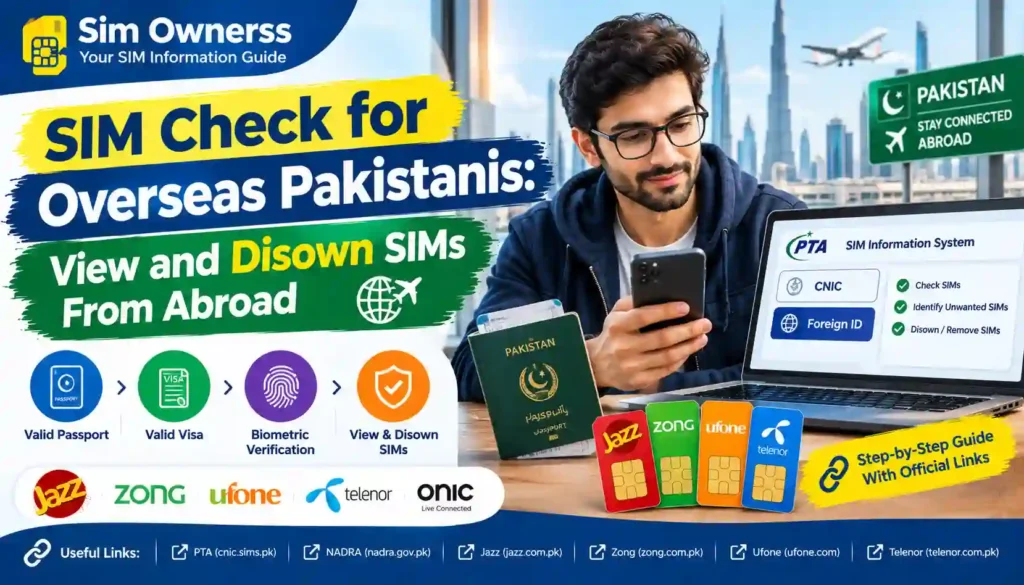
The problem is that an unused SIM can remain associated with your identity until it is properly dealt with.
Fortunately, overseas Pakistanis can use the official PTA SIM Information System to check the SIM count associated with their identity. The official portal currently provides a CNIC option and, separately, a Foreign ID option for foreign nationals.
But there is an important difference between checking a SIM from abroad and disowning a SIM from abroad.
The online system is primarily a checking facility. It should not be confused with an online ownership-removal service. Operator terms indicate that disowning a SIM activated through biometric verification follows the operator’s biometric/disowning procedure.
This guide explains what an overseas Pakistani can realistically do from abroad, how to check the SIM count, how to identify unwanted registrations, and what to do when a SIM needs to be removed.
Can Overseas Pakistanis Check Their SIMs From Abroad?
Yes, you can check your registered SIM count online while outside Pakistan.
The official PTA SIM Information System is web-based and allows a user to enter their CNIC to find the total number of SIMs registered against it. The portal also provides a Foreign ID option for foreign nationals.
This makes the online portal particularly useful for overseas Pakistanis who do not currently have a Pakistani SIM available for SMS-based checking.
You can perform the check before deciding whether any further action is necessary.
What the online check tells you
The official system can help you determine:
- Whether SIMs are registered against your identity
- The network-wise SIM count
- The overall number of registered SIMs
- Whether the total looks higher than expected
What it does not mean
The portal should not be treated as a public database showing another person’s private information.
It is intended for checking your own registration information.
Why Overseas Pakistanis Should Check Their SIMs
An overseas Pakistani may have several reasons to review their old SIM registrations.
For example, you may have:
- Purchased a Pakistani SIM during a previous visit
- Given a family member a number that remained under your CNIC
- Changed your mobile number without formally dealing with the old SIM
- Lost an old SIM
- Forgotten about a data SIM
- Had a number registered years ago
- Returned abroad and stopped using a Pakistani number
- Discovered that your SIM count is higher than expected
The important issue is identity responsibility.
A number registered against your identity is not automatically removed just because you stop using it.
That is why an occasional SIM audit is useful for people who live abroad.
CNIC, NICOP and SIM Registration: What Overseas Pakistanis Should Know
Overseas Pakistanis commonly hold a NICOP, while some may continue to have a Pakistani CNIC depending on their circumstances.
NADRA describes NICOP as the National Identity Card for Overseas Pakistanis and says it is issued to Pakistani citizens residing abroad.
NADRA also maintains identity services for CNIC, NICOP, POC and other identity documents.
For SIM checking, however, you should use the identity option that matches the information held in the relevant telecom system.
Do not randomly enter a passport number, NICOP number, or CNIC number into a third-party website claiming to provide SIM information.
Use official channels.
The Simple Overseas SIM Audit
Think of your SIM check as a three-stage process:
VIEW → IDENTIFY → ACT
VIEW
Check how many SIMs appear against your identity.
IDENTIFY
Compare the number with the SIMs you actually recognize.
ACT
If something is no longer needed or you do not recognize it, contact the relevant operator and follow its approved procedure.
This is much safer than immediately assuming that every number in the total is fraudulent.
Step 1: Open the Official PTA SIM Information System
Start with the official PTA SIM Information System.
You will find the CNIC option on the portal. The same system also displays a Foreign ID option for foreign nationals.
If you are an overseas Pakistani checking your own Pakistani identity record, use the appropriate identity information requested by the official portal.
Do not use unofficial “SIM database” websites.
Step 2: Enter Your CNIC
If the portal asks for a CNIC, enter your own CNIC information as requested.
The purpose is to retrieve the number of SIMs associated with your identity.
The official system is designed to show the total registered SIMs rather than functioning as a public directory of private subscriber information.
Step 3: Complete the Verification
The website may require a verification or CAPTCHA step.
Complete it and submit the request.
If the verification fails, simply retry.
Avoid entering your CNIC repeatedly into unrelated websites simply because the official page is temporarily unavailable.
Step 4: Record the Results
This is a step many people skip.
When checking from abroad, make a note of:
- Date of check
- Total SIMs
- Network-wise counts
- SIMs you already know about
- Any discrepancy
You can keep a simple record such as:
| Network | SIMs Shown | SIMs I Recognize | Action |
|---|---|---|---|
| Jazz | 2 | 2 | None |
| Zong | 1 | 0 | Investigate |
| Ufone | 1 | 1 | None |
| Telenor | 0 | 0 | None |
| Total | 4 | 3 | Check Zong |
This does not identify a particular unknown number from the portal. Instead, it helps you recognize that one of your registered connections needs investigation.
What If the Number of SIMs Looks Wrong?
Don’t immediately assume fraud.
There are several possible explanations.
Possibility 1: An Old SIM
You may have forgotten about a SIM purchased years ago.
Possibility 2: A Family Member Uses It
A parent, sibling, spouse, or another relative may still be using a number registered under your identity.
Possibility 3: Data SIM
A mobile broadband or data connection may be included in the registration count.
Possibility 4: You Changed Networks
An old number or registration arrangement may need to be reviewed.
Possibility 5: Unauthorized Registration
If you cannot explain the registration after checking your own records, contact the relevant operator.
PTA’s cybersecurity guidance advises consumers to periodically check SIMs issued in their name and take action against illegally issued SIMs.
Can You See the Exact SIM Numbers Online?
This is an important limitation.
The official SIM Information System is primarily designed to provide a SIM count, including network-wise information.
Do not expect it to work like a public directory where entering a CNIC gives you a list of another person’s phone numbers, names, addresses, or private subscriber details.
If your count does not match your records, the next step is to identify the relevant operator through your own records and contact that operator.
This privacy-first approach is important.
How to Find Which Network Has the Unrecognized SIM
Suppose the official check shows:
- Jazz: 2
- Zong: 2
- Ufone: 0
- Telenor: 0
But you only recognize one Jazz SIM and one Zong SIM.
You now know that the unexplained registration is likely associated with either Jazz or Zong.
Create a list of every Pakistani number you currently recognize.
Then compare it with:
- Old phone records
- WhatsApp accounts
- Banking records
- Family members’ numbers
- Previous SIM packaging
- Recharge history
- Email records
- Your old Pakistani contact information
This can often solve the mystery without immediately assuming identity theft.
What If You Find a SIM You Never Registered?
Treat it seriously.
PTA’s cybersecurity guidance warns against illegally issued SIMs and recommends periodically checking the numbers issued in your name and blocking illegally issued connections.
If you discover a registration you genuinely do not recognize:
Contact the operator
Tell the operator that a SIM appears to be associated with your identity and you did not authorize it.
Provide the identity and registration information requested through the operator’s official complaint or customer-service process.
Keep evidence
Save:
- Screenshot of your SIM check
- Date of the check
- Operator response
- Complaint/reference number
- Any correspondence
Escalate if necessary
If the operator does not resolve the issue, you can use the official PTA Complaint Management System.
PTA’s CMS allows telecom consumers to submit and track complaints through an online account.
Can You Disown a SIM Completely From Abroad?
This is where many online guides become misleading.
Checking your SIM count online and disowning a SIM are two different processes.
The official PTA SIM Information System provides the checking facility, but it should not be presented as an online SIM-disowning button.
Operator terms indicate that disowning SIMs that were activated through biometric verification follows the relevant biometric procedure. Zong’s current terms, for example, state that the same biometric procedure applies to disowning such SIMs. Jazz’s published SIM terms similarly include biometric procedures for disowning SIMs activated through biometric verification.
Therefore, do not assume that you can remove a SIM simply by logging into cnic.sims.pk from another country.
What Should You Do If You Are Permanently Abroad?
If you have identified an unwanted SIM but are not currently in Pakistan, take a more careful approach.
Option 1: Contact the Operator First
Start by contacting the operator that appears to have the unexplained registration.
Explain that:
- You are the registered identity holder.
- You are currently outside Pakistan.
- You want to remove or resolve a SIM registration.
- You need to know the operator’s current procedure for an overseas customer.
Ask specifically whether the operator provides an authorized overseas verification or disowning route for your circumstances.
Do not rely on advice from an unofficial shopkeeper or social-media account.
Option 2: Ask Whether Physical Presence Is Required
This is one of the most important questions.
Ask the operator:
“Can this SIM be disowned while I am outside Pakistan, or is biometric verification at an authorized service location required?”
Do not assume that a relative can automatically complete the process for you.
A biometric procedure is designed to verify the actual subscriber.
The operator—not a random intermediary—should tell you what alternative, if any, is currently available.
Can a Family Member Disown Your SIM for You?
Do not assume that a family member can simply take your CNIC to a franchise and remove a SIM on your behalf.
Where biometric verification is required, the operator may require the registered subscriber’s own verification.
The safest approach is to ask the operator about its current overseas customer procedure.
If an operator offers a specific authorization method, follow the documentation and verification requirements it provides.
Avoid giving a relative unrestricted access to your identity documents just because an unofficial source claims they can “remove the SIM for you.”
What About Power of Attorney?
A power of attorney or authorization letter should not automatically be treated as a substitute for telecom biometric verification.
These are separate issues.
A legal authorization may allow someone to represent you in certain matters, but that does not necessarily mean a telecom operator will accept it for a biometric SIM-disowning transaction.
If you are considering authorization:
- Contact the operator first.
- Ask whether authorization is accepted.
- Ask which document format is required.
- Ask whether notarization or embassy attestation is required.
- Ask whether the representative must provide their own CNIC.
- Get the answer from the operator in writing if possible.
This prevents you from preparing documents that the operator ultimately cannot use.
What If You Are Visiting Pakistan Soon?
If you regularly travel to Pakistan, you may find it simpler to deal with an unwanted SIM during your next visit, subject to the operator’s current eligibility and verification requirements.
Before traveling, prepare:
- Original CNIC or applicable identity document
- Details of the unwanted SIM
- Network name
- Previous complaint/reference number
- Supporting documentation
- Any operator correspondence
Then visit an authorized customer service center or franchise.
Do not wait until the last few hours before your international flight.
What If Your CNIC Is Expired?
An expired identity document can create additional problems for telecom transactions.
If your identity document needs renewal, deal with the identity-document issue through NADRA first.
NADRA provides services for overseas Pakistanis through its NICOP and PakID services, including renewal and other identity-document processes.
Do not send your identity information to unofficial agents claiming they can “unlock” or “refresh” your SIM record.
NICOP Holders: What Should You Keep Updated?
For overseas Pakistanis, keeping identity information current is useful beyond SIM management.
NADRA describes NICOP as an official identity document for Pakistani citizens residing abroad. Its current services include new NICOP applications, renewals, modifications and reprints.
If your identity information has changed, make sure your official NADRA record is properly updated.
Then, if a telecom verification issue occurs, you have accurate identity documentation available.
What If Your SIM Is Still Used in Pakistan?
This is very common.
Imagine you live in Dubai, London, Riyadh, Toronto, or another country but your Pakistani SIM is still being used by a family member in Pakistan.
The SIM may still be registered under your identity.
That means you should decide whether you genuinely want to continue that arrangement.
Keep it
If you intentionally want to keep the number registered under your identity, keep track of it.
Transfer it
If the number should belong to another person, ask the operator about the applicable ownership-transfer procedure.
Disown it
If nobody needs the number, ask the operator about the appropriate disowning process.
The important point is to avoid leaving old SIMs connected to your identity simply because you live abroad.
Overseas Pakistani SIM Audit: A Better Way to Organize Your Numbers
Create a simple personal SIM register.
| Number | Network | Who Uses It? | Purpose | Keep? |
|---|---|---|---|---|
| 03XX-XXXXXXX | Jazz | Me | Banking/OTP | Yes |
| 03XX-XXXXXXX | Zong | Father | Family | Review |
| 03XX-XXXXXXX | Ufone | Nobody | Old number | Remove |
| 03XX-XXXXXXX | Telenor | Business | Pakistan contacts | Yes |
This is particularly useful if you have lived abroad for many years.
Instead of asking yourself:
“Why are there so many SIMs on my identity?”
you can maintain a clear record of every connection.
Don’t Confuse Blocking With Disowning
These actions are not necessarily the same.
Blocking
Blocking normally prevents the SIM from being used.
Disowning
Disowning is about removing the connection from your identity record according to the operator’s applicable process.
Ownership Transfer
Ownership transfer changes the registered subscriber to another eligible person.
For an overseas Pakistani, choosing the correct action matters.
If a number is simply lost but you still want it, you may need a blocking or replacement route rather than disowning it.
If another family member permanently uses it, an ownership-transfer route may be more appropriate.
If nobody needs it, disowning may be the appropriate objective.
What If You Have Lost the Physical SIM?
You do not necessarily need the plastic SIM card to begin investigating the problem.
If you know the number or network, contact the operator and explain the situation.
For a lost SIM that you still want to retain, ask about replacement.
For a lost SIM you no longer want, ask about the applicable blocking/disowning procedure.
Do not assume that throwing away the SIM card removes it from your identity record.
What If the SIM Belongs to a Relative?
Suppose you are living in Saudi Arabia and your brother in Lahore is using a Pakistani number registered under your CNIC.
You have three choices:
Continue
You intentionally keep the registration under your identity.
Transfer
You ask the operator about transferring the number to the actual user’s identity, subject to eligibility and the operator’s current rules.
Disown
You no longer want responsibility for the connection and ask the operator about removing it from your registration.
The best choice depends on who actually needs the number.
How to Protect Your SIM Identity While Living Abroad
Overseas Pakistanis should treat SIM registration as part of their wider digital-security routine.
Keep your CNIC secure
Don’t send CNIC images through random social-media accounts.
Avoid unofficial SIM sellers
PTA’s cybersecurity guidance specifically warns about unauthorized SIM issuance and recommends obtaining SIMs through proper cellular channels.
Keep records
Maintain a list of your Pakistani numbers.
Check periodically
Review your registered SIM count occasionally.
Investigate unexplained registrations
Do not ignore a SIM count that suddenly becomes higher than expected.
Don’t share OTPs
A mobile number can be connected to important online accounts.
Don’t lend your registered SIM casually
If someone else uses a SIM registered under your identity, understand that the registration remains associated with you until properly changed.
Why Third-Party “SIM Database” Websites Are a Bad Idea
Overseas Pakistanis searching from abroad may encounter websites claiming:
- “Check all SIMs by CNIC”
- “Find SIM owner name”
- “Get complete SIM database”
- “Check mobile owner address”
- “Download SIM database”
- “Track any SIM”
Be careful.
The official PTA system is designed for checking your own SIM registration information. It is not a public tool for revealing another person’s private subscriber data.
Do not upload your:
- CNIC
- NICOP
- Passport
- Phone number
- OTP
- Biometric information
to unknown websites.
For an overseas Pakistani, this is particularly important because scammers may target people who are not physically present in Pakistan to challenge suspicious registrations quickly.
PTA Complaint: When Should You Escalate?
Consider using the official PTA Complaint Management System when an operator-related issue remains unresolved.
For example:
- You report an unauthorized SIM and receive no satisfactory resolution.
- An operator refuses to investigate a registration problem.
- A telecom complaint remains unresolved.
- You need to escalate an existing telecom-service complaint.
PTA’s current Complaint Management System allows consumers to create profiles, submit complaints, monitor complaint status, and receive updates.
Keep your operator complaint/reference number before escalating.
A Practical Overseas SIM Checklist
Before finishing your SIM audit, ask yourself:
- Do I know how many SIMs are registered against my identity?
- Do I recognize every network shown?
- Does any family member use one of my registered SIMs?
- Do I still need every Pakistani number?
- Are any old numbers no longer required?
- Is any SIM potentially unauthorized?
- Have I contacted the relevant operator?
- Do I have a complaint/reference number?
- Have I checked whether physical biometric verification is required?
- Have I avoided sharing my CNIC/NICOP with unofficial websites?
- Have I saved evidence of the check?
Quick Example: Overseas SIM Problem
Consider this example.
Ali lives in the United Kingdom.
He previously lived in Pakistan and has not used his Pakistani SIM for three years.
He checks his SIM registration online and finds that his identity still has several SIM registrations.
Instead of immediately trying to remove everything, he creates a list:
SIM 1: Still used by Ali during Pakistan visits
SIM 2: Used by his father
SIM 3: Old number nobody uses
SIM 4: Not recognized
He can then handle each case differently.
- SIM 1 → Keep
- SIM 2 → Review ownership
- SIM 3 → Ask operator about disowning
- SIM 4 → Report/investigate immediately
This is much better than treating all four numbers as the same problem.
Frequently Asked Questions
Can overseas Pakistanis check SIMs online?
Yes. The official PTA SIM Information System provides an online method for checking SIMs registered against a CNIC.
Can I check my Pakistani SIMs from another country?
The official web portal can be accessed online, so you can use it to check your own SIM registration information while abroad.
Do I need a Pakistani SIM to use the online portal?
The web-based SIM Information System is separate from the physical SIM you are checking. It provides a CNIC-based checking interface and a Foreign ID option for foreign nationals.
Can I disown a SIM online from abroad?
Do not assume that you can. The official portal is a SIM-information checking facility, not a clearly published online disowning service. Operator terms indicate that disowning biometric-activated SIMs follows the relevant biometric procedure.
Can my family member remove my SIM while I am abroad?
Do not assume that they can. Ask the relevant operator whether it offers an authorized overseas/representative process for your specific case.
What if I find an unauthorized SIM while abroad?
Contact the relevant operator through its official customer-service channel, report the registration, keep the complaint/reference information, and escalate to PTA if the issue is not resolved.
Can I use NICOP to manage my Pakistani SIMs?
NICOP is an official identity document for Pakistani citizens residing abroad. The telecom system’s exact verification method should be confirmed with the relevant operator when dealing with ownership or disowning.
What if my CNIC is expired?
Consider resolving the identity-document issue through NADRA before attempting transactions that require valid identity verification.
Is checking SIMs the same as finding SIM owner details?
No. Checking your own registered SIM count is different from trying to identify the private subscriber behind someone else’s mobile number.
Should I use a third-party SIM database website?
No. Use official PTA and operator channels for your own SIM-registration questions.
Official Resources for Overseas Pakistanis
For your own SIM-registration check, use the official PTA SIM Information System.
For identity-document issues, use NADRA’s official services, particularly its NICOP and PakID information.
For unresolved telecom issues, use the PTA Complaint Management System.
For a specific SIM that you want to remove, contact the operator that holds the registration and ask for its current disowning procedure.
Final Thoughts
For an overseas Pakistani, checking SIM registrations should be treated as a small but important part of identity management.
You do not need to be physically present in Pakistan just to review your SIM count. The official PTA SIM Information System provides an online checking facility, making it practical to perform an identity audit even while living abroad.
The difficult part begins when you discover a number that you no longer want.
At that point, remember the difference between checking, blocking, transferring, and disowning.
The online portal should not be presented as a one-click SIM-removal service. Operator terms indicate that biometric verification is involved in disowning SIMs that were activated through biometric registration.
Therefore, the safest overseas workflow is:
Check your SIM count → identify every connection → contact the relevant operator → ask about the current overseas procedure → complete the required verification → keep proof of the resolution.
If you find a registration that you never authorized, don’t ignore it simply because you live outside Pakistan. Report it through the proper operator and PTA channels.
Your physical location may be abroad, but your Pakistani SIM registrations can still remain connected to your identity.
Disclaimer
This article is for general informational and educational purposes. Sim Ownerss is an independently operated website and is not affiliated with PTA, NADRA, Jazz, Zong, Ufone, Telenor, or any government department. Telecom procedures, verification requirements, charges, and overseas-service options can change. Always confirm the latest disowning or ownership procedure directly with the relevant mobile operator or official Pakistani authority.