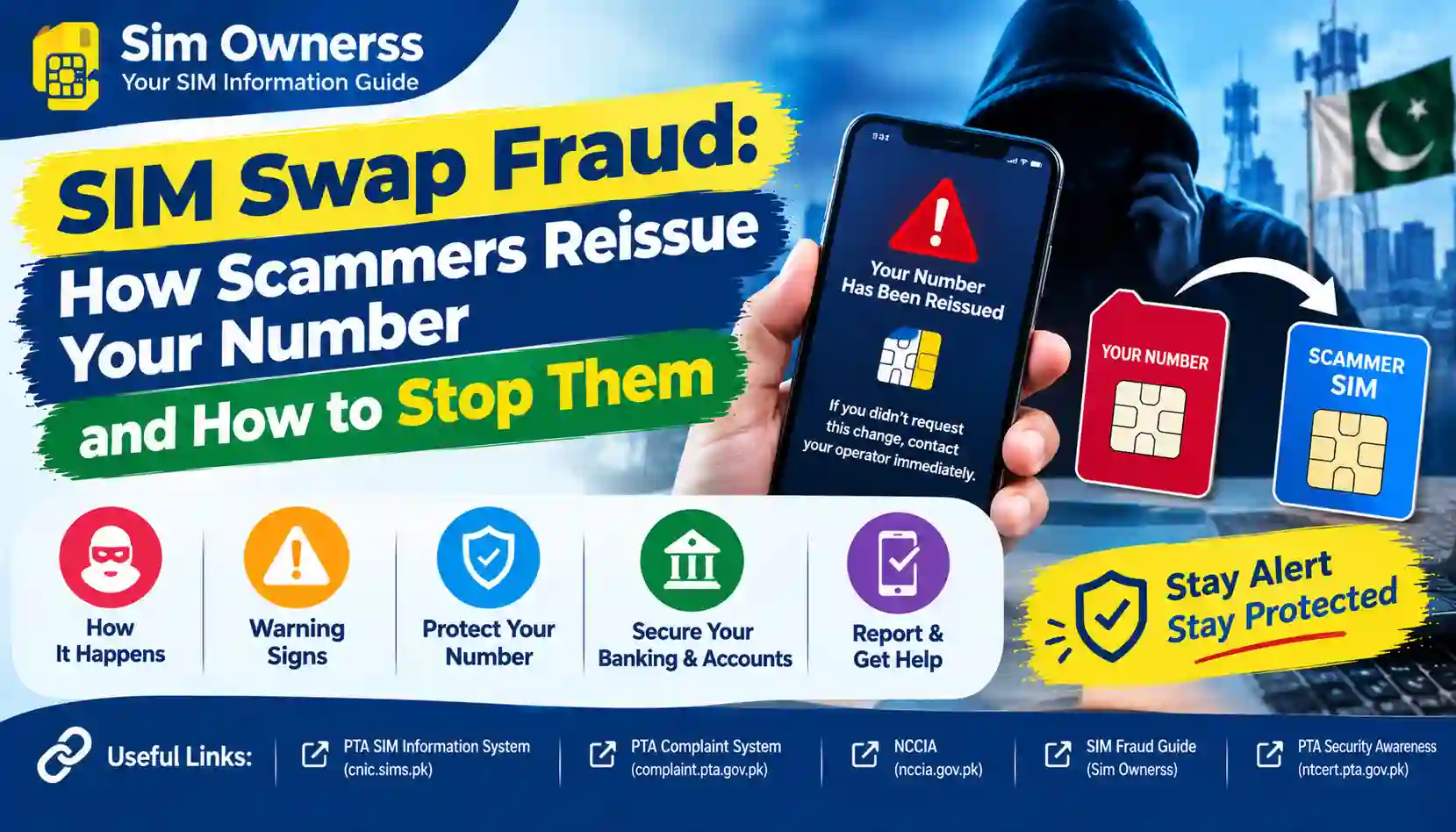
Learn how SIM swap fraud works in Pakistan, spot warning signs, protect your banking and WhatsApp accounts, and report unauthorized SIM reissuance.
Imagine your mobile phone suddenly loses network signals. You restart it, remove and reinsert the SIM, and wait for the service to return. Nothing changes. A little later, you discover that you cannot receive banking OTPs, your WhatsApp account has been accessed, or someone has attempted to reset one of your online account passwords.
These signs may have an ordinary explanation, such as a network outage or damaged SIM. However, they can also indicate SIM swap fraud, a type of identity-related fraud in which a criminal attempts to transfer your mobile number to another SIM card under their control.
In Pakistan, mobile numbers are frequently used for account verification, password recovery, banking notifications, and messaging applications. If a criminal gains control of your number, they may attempt to exploit those services.
The Pakistan Telecommunication Authority (PTA) has published a dedicated cybersecurity advisory explaining how SIM swapping works and recommending precautions for mobile users. You can read the PTA SIM Swapping Cyber Security Advisory for official guidance.
This article explains how SIM swap fraud happens, how to recognize the warning signs, what to do if your number stops working unexpectedly, and how to protect your identity and financial accounts.
What Is SIM Swap Fraud?
SIM swap fraud occurs when a criminal gets a mobile operator to activate a replacement SIM or transfer a mobile number to a SIM that the criminal controls, without the legitimate subscriber’s authorization.
The phone number remains the same, but control of the connection changes.
For example, suppose your mobile number is registered in your name and linked to your bank account. A fraudster obtains some of your personal information and attempts to impersonate you during a SIM replacement process.
If the operator incorrectly authorizes the request, the fraudster may begin receiving calls and SMS messages intended for your number. Depending on the security controls used by your bank and other services, this could help the criminal attempt account recovery or fraudulent transactions.
Important: Losing mobile service does not automatically prove that a SIM swap has occurred. A network problem, damaged SIM, unpaid balance, or technical issue can produce similar symptoms. Confirm the situation with your operator immediately.
How Do Scammers Reissue Your Mobile Number?
SIM swap fraud usually involves a combination of identity information, impersonation, social engineering, or weaknesses in a verification process.
The exact method varies from case to case.
1. Collecting your personal information
A criminal may try to gather information such as:
- Your full name and mobile number.
- Your CNIC details or photographs of identity documents.
- Your email address.
- Your date of birth or other personal details.
- Information about your mobile operator.
- Details exposed through phishing, data leaks, social media, or previous scams.
Not every SIM swap requires all these details. The information needed depends on the operator’s procedures and the attacker’s approach.
Avoid sharing your CNIC photograph, identity information, or verification codes with unknown people.
2. Impersonating the subscriber
The fraudster may contact a mobile operator or visit a sales outlet and pretend to be the legitimate subscriber.
They may claim that the original SIM has been lost, damaged, or stolen. They could also try to exploit weaknesses in identity verification or persuade an employee to bypass the proper procedure.
Telecom operators use identity and biometric verification processes to reduce unauthorized SIM issuance. These safeguards are important, but customers should still monitor their numbers and report suspicious activity.
3. Attempting an unauthorized SIM replacement
The criminal may try to obtain a replacement SIM associated with your number.
If an unauthorized replacement is successfully activated, your original SIM may lose access to the mobile network. The criminal may then receive calls and SMS messages directed to your number.
A legitimate SIM replacement requested by the real subscriber is a normal customer service procedure. The fraud occurs when the process is manipulated or completed without the subscriber’s permission.
4. Attempting to access your accounts
Once the fraudster controls the number, they may try to use it to recover online accounts or receive SMS-based verification codes.
Potential targets include:
- Email accounts.
- Banking and digital payment accounts.
- WhatsApp and other messaging applications.
- Social media profiles.
- Shopping accounts.
- Other services that rely on mobile-number verification.
Controlling a phone number does not automatically provide access to every account linked to it. Account passwords, device checks, authenticator applications, and additional security measures may still prevent unauthorized access.
However, a compromised number can remove an important layer of protection, particularly when SMS is the main recovery method.
5. Misusing the compromised number
Depending on the accounts and information available, a criminal may attempt to impersonate the victim, contact their friends and relatives, reset account credentials, or initiate fraudulent financial activity.
This is why responding quickly matters. The sooner you regain control of your number and secure connected accounts, the less opportunity a criminal may have to continue the attack.
Warning Signs of SIM Swap Fraud
Recognizing suspicious changes early can help you respond before an attacker causes further damage.
| Warning sign | Possible explanation | What you should do |
|---|---|---|
| Your phone suddenly loses mobile service | Network outage, SIM fault, or unauthorized replacement | Check for an outage and contact your operator using another phone |
| You receive an unexpected SIM replacement notification | A replacement request may have been initiated | Contact the operator and ask it to verify the request |
| Banking OTPs stop arriving | Network issue or possible number compromise | Contact your bank through its official channel |
| Your email reports an unexpected password reset | Someone may be attempting account recovery | Secure your email from a trusted device |
| WhatsApp logs out unexpectedly | Account re-registration or another technical issue | Follow WhatsApp’s official account-recovery guidance |
| You notice transactions you did not authorize | Possible financial-account compromise | Contact your bank immediately and report the transactions |
| Friends receive unusual messages from your number | Your messaging account may be compromised | Warn contacts and recover the account through official channels |
One warning sign by itself is not conclusive evidence of SIM swap fraud. Several unexpected changes occurring together, especially sudden service loss and account-recovery alerts, should be treated as urgent.
What to Do Immediately If You Suspect SIM Swap Fraud
If your number stops working unexpectedly and you suspect an unauthorized SIM replacement, take action in a structured order.
Step 1: Contact your mobile operator immediately
Use another phone, an official helpline, or an authorized customer service centre to contact your mobile network.
Ask the operator to:
- Check whether a SIM replacement or ownership-related request was recently processed.
- Verify whether your number is active on another SIM.
- Investigate any request you did not authorize.
- Explain the steps needed to restore your service.
- Secure the connection against further unauthorized changes, where available.
Use the operator’s official website to find the appropriate contact details. Do not rely on a number supplied by an unknown caller or a suspicious social media account.
Step 2: Contact your bank and payment providers
If your number is connected to a bank account, mobile wallet, or payment application, contact the institution through its official helpline or app.
Explain that you suspect your mobile number may have been compromised.
Ask the provider to assess the risk to your account and temporarily restrict vulnerable services if necessary. If you notice an unauthorized transaction, report it immediately and request a complaint reference.
Do not wait for your SIM to be restored before alerting your bank if financial activity appears suspicious.
Step 3: Secure your email account
Email accounts are particularly important because they may be used to reset passwords for other services.
From a trusted device:
- Change your email password if you suspect unauthorized access.
- Review recent login activity and signed-in devices.
- Sign out sessions you do not recognize.
- Check recovery phone numbers and email addresses.
- Review account security notifications.
- Enable a strong additional authentication method.
If your email account has already been compromised, use the provider’s official recovery process.
Step 4: Secure WhatsApp and other messaging accounts
If you suspect someone has registered your WhatsApp number on another device, follow the recovery instructions provided by WhatsApp.
Once you regain access, review linked devices and remove any you do not recognize. Enable two-step verification and use a recovery email address you control.
Warn friends and relatives through another communication channel if someone may be impersonating you. Ask them not to send money or share verification codes in response to suspicious messages.
Step 5: Change passwords on important accounts
Prioritize your email, banking, financial services, and other accounts that could expose personal information.
Use unique passwords rather than repeating the same password across several websites. If you use a password manager, make sure its account is also protected.
Where available, use an authenticator application, passkey, or security key instead of relying exclusively on SMS verification.
Step 6: Report the incident and preserve evidence
Keep records of relevant events, including:
- The approximate time your mobile service stopped.
- Messages about SIM replacements or account recovery.
- Bank transaction alerts.
- Operator complaint numbers.
- Screenshots of suspicious activity.
- Details of calls or messages related to the incident.
Submit a complaint to the operator and escalate the matter to the PTA if it remains unresolved. If the incident involves cybercrime, identity misuse, or financial fraud, report it to the appropriate authority as well.
Do not delete relevant messages or share your full CNIC details publicly while seeking assistance.
How to Prevent SIM Swap Fraud in Pakistan
Prevention involves protecting your personal information, maintaining control of your mobile connection, and strengthening the security of accounts linked to your number.
1. Check SIMs registered against your CNIC
The PTA recommends checking SIMs registered against your identity and ensuring that only required, actively used connections remain associated with your name.
You can use the official PTA SIM Information System to check the number of SIMs registered against your CNIC.
You can also send your CNIC number without dashes to 668. Standard SMS charges may apply.
These methods help you review SIM registration counts. They do not guarantee detection of every fraudulent activity, and the online system should not be treated as a private database for retrieving another person’s confidential information.
If you discover a registration you do not recognize, contact the relevant operator and request an investigation.
2. Keep your SIM registered correctly
Your mobile connection should be registered according to the applicable requirements and the operator’s prescribed verification process.
Avoid using SIMs registered in someone else’s name when you are the actual user. The PTA has emphasized responsible SIM ownership and warns users that registered subscribers may be held responsible for the use or misuse of connections registered against their identities.
Read the related guidance in our internal article, Official PTA SIM Verification Methods. Use the relevant published article permalink when adding the link in WordPress.
3. Protect your CNIC and personal information
Your identity details can be useful to criminals attempting to impersonate you.
Follow these precautions:
- Avoid posting photographs of your CNIC on public social media profiles.
- Share identity documents only when necessary and through legitimate channels.
- Verify the identity of anyone requesting personal information.
- Be suspicious of messages promising prizes, free SIMs, or financial assistance in exchange for fingerprints.
- Never provide a verification code to an unsolicited caller.
- Do not send identity documents to unofficial SIM-registration agents.
The PTA’s National Telecom and Information Security Board provides public awareness resources covering phishing, identity protection, and safe SIM verification practices.
4. Never approve an unexplained biometric request
Biometric verification is an important safeguard in SIM registration. However, you should understand the purpose of a transaction before providing your fingerprints or completing another identity check.
If someone claims that fingerprints are required for an unrelated offer, government benefit, or free service, verify the claim through the official organization first.
Do not allow anyone to use your identity details to register a SIM on your behalf unless you fully understand and authorize the transaction.
5. Strengthen your banking security
If your bank offers additional authentication options, consider using them.
Recommended precautions include:
- Enable transaction alerts.
- Use a strong, unique banking password or PIN.
- Keep your banking app and phone operating system updated.
- Enable biometric or device-based authentication where appropriate.
- Avoid using public Wi-Fi for sensitive transactions unless your connection is adequately secured.
- Never disclose your banking PIN, password, or OTP to a caller claiming to be a bank employee.
A bank will not need you to reveal your secret password or OTP to investigate a suspected SIM swap.
6. Enable two-step verification on WhatsApp
WhatsApp two-step verification adds a PIN that is separate from the SMS registration code.
To enable it, open WhatsApp and navigate to Settings → Account → Two-step verification, then follow the instructions shown in your version of the application.
Use a PIN you do not use elsewhere, and add a secure recovery email if the application offers that option.
Never share your WhatsApp registration code or two-step verification PIN with anyone.
7. Reduce reliance on SMS for account recovery
SMS verification can be useful, but it depends on continued control of your mobile number.
For accounts that support stronger alternatives, consider using passkeys, authenticator applications, or hardware security keys.
Secure your email account especially carefully because it may provide a recovery route for many other services.
8. Respond quickly to unexpected network loss
If your SIM unexpectedly loses service:
- Check whether the operator has reported a network outage.
- Restart your phone and verify that the problem persists.
- Contact your operator through an official channel if service does not return.
- Ask whether a replacement SIM or other account change has occurred.
- Contact your bank promptly if you suspect that your number has been compromised.
Do not wait several days to investigate unexplained loss of service when other suspicious account activity is occurring.
SIM Swap Fraud vs. Other Types of SIM Fraud
SIM swap fraud is related to other forms of mobile fraud, but the terms describe different situations.
| Type of fraud | What it means | Main protective action |
|---|---|---|
| SIM swap fraud | An unauthorized transfer of your mobile number to another SIM | Contact your operator immediately and secure linked accounts |
| Unauthorized SIM registration | A SIM is registered against your identity without your consent | Check registration information and request an operator investigation |
| SIM cloning | An attempt to duplicate or reproduce SIM-related credentials or functionality | Contact your operator and secure affected accounts |
| Phishing | A scammer tricks you into revealing personal information or credentials | Avoid suspicious links and never share verification codes |
| WhatsApp account takeover | Someone gains control of your messaging account | Recover the account, review linked devices, and enable two-step verification |
| Mobile banking fraud | A criminal attempts unauthorized access to financial services or transactions | Contact your bank immediately and report suspicious activity |
The correct response depends on the incident. For example, a SIM-count discrepancy should be investigated with the operator, while an unauthorized financial transaction should also be reported to the bank.
What Role Does PTA Play in SIM Swap Prevention?
The PTA regulates Pakistan’s telecommunications sector and publishes security guidance for mobile users.
Its cybersecurity advisory on SIM swapping explains the general attack method and recommends steps to reduce exposure to this threat.
The PTA also advises consumers to check the SIMs registered against their CNIC and report connections issued without their knowledge or consent.
For customers, the key actions are to:
- Use official SIM registration and verification channels.
- Monitor connections registered against their identity.
- Contact the mobile operator about unauthorized SIM activity.
- Submit a complaint through the PTA’s official complaint mechanisms if needed.
- Follow the prescribed verification process for SIM-related transactions.
You can visit the PTA official website for regulatory information and the PTA Complaint Management System for telecommunications complaints.
Where to Report SIM Swap Fraud in Pakistan
If you believe someone has taken control of your number, the appropriate reporting route depends on the problem.
Report to your mobile operator
Your first step should generally be to contact the operator that provides your mobile service.
Ask it to investigate the suspected unauthorized replacement, restore control of the number, and explain what evidence or documents are required.
Keep the complaint reference for follow-up.
Submit a complaint to the PTA
If the operator does not resolve the telecommunications issue, submit a complaint through the official PTA Complaint Management System.
Include the relevant operator, a description of the problem, the approximate date and time, and your existing complaint reference. Provide supporting information through the official channel when requested.
Report suspected cybercrime to NCCIA
If the incident involves identity misuse, account takeover, online fraud, or other suspected cybercrime, you can consult the National Cyber Crime Investigation Agency (NCCIA) for the appropriate reporting process.
The agency’s official complaint information is available at NCCIA complaint services.
If money has been taken from your account, contact your bank immediately as well. Telecom complaints, cybercrime investigations, and financial disputes may require separate reports.
Common Myths About SIM Swap Fraud
Myth 1: A criminal needs my physical SIM card
Not necessarily. SIM swap fraud typically involves getting a mobile operator to activate a different SIM for the victim’s number. The original SIM does not have to be physically stolen.
Myth 2: Losing network signals always means a SIM swap
No. Network outages, damaged SIM cards, device issues, and other technical problems can also cause service loss. Contact your operator to establish what happened.
Myth 3: SMS OTPs make every account completely secure
SMS verification provides a useful security layer, but it can be vulnerable if a criminal gains control of the associated mobile number. Strong passwords and alternative authentication methods provide additional protection.
Myth 4: Checking my CNIC once guarantees that I am safe
A SIM-count check is useful, but it does not prevent every type of fraud. Continue protecting your personal information, monitor account alerts, and report suspicious activity promptly.
Myth 5: Only people with large bank balances are targeted
SIM swap fraud can affect anyone whose phone number is valuable to a criminal. Attackers may seek access to messaging accounts, personal information, social media profiles, or financial services.
Frequently Asked Questions About SIM Swap Fraud
1. What is SIM swap fraud in Pakistan?
SIM swap fraud is an attempt to transfer a person’s mobile number to another SIM without proper authorization. If successful, the criminal may receive calls and SMS messages intended for the legitimate subscriber.
2. How can I tell whether my SIM has been swapped?
Unexpected loss of mobile service, an unfamiliar SIM replacement notification, missing OTPs, and unexpected account-recovery messages may be warning signs. Contact your operator to confirm whether an unauthorized SIM change has occurred.
3. Can a SIM swap lead to banking fraud?
It can increase the risk, particularly if a bank or payment service relies on SMS verification or mobile-number-based account recovery. Contact your bank immediately if you suspect a compromise or notice an unauthorized transaction.
4. How can I check SIMs registered against my CNIC?
Visit the official PTA SIM Information System at cnic.sims.pk or send your CNIC number without dashes to 668. If the results concern you, contact the relevant operator for an investigation.
5. What should I do if someone reissues my SIM without permission?
Contact your mobile operator immediately, explain that you did not authorize the replacement, and ask it to investigate and restore your service. Secure your banking, email, and messaging accounts, and report suspected cybercrime through the appropriate official channel.
6. Can scammers take over WhatsApp using a SIM swap?
A compromised number may help an attacker attempt to register WhatsApp on another device. Protect your account with two-step verification, never share registration codes, and review linked devices after regaining access.
7. Should I contact my bank or mobile operator first?
If your number has suddenly stopped working and you suspect an unauthorized SIM replacement, contact your operator immediately. If banking activity is suspicious or money may be at risk, contact your bank at the same time rather than waiting for the operator’s investigation to finish.
8. Does checking my SIM count show who owns every number?
No. The official PTA SIM Information System is designed to provide registration-count information associated with an identity. It should not be treated as a tool for retrieving private information about other subscribers.
9. Where can I report SIM swap fraud?
Contact your mobile operator first for the SIM issue. You can escalate unresolved telecommunications complaints to the PTA and report suspected cybercrime through the NCCIA’s official channels. Contact your bank directly if financial accounts may be affected.
10. Is SIM swap fraud preventable?
No single measure guarantees complete protection, but the risk can be reduced by safeguarding personal information, using official SIM-registration channels, securing important accounts, enabling stronger authentication, and responding quickly to unexpected service loss.
Final Thoughts
SIM swap fraud can turn an ordinary mobile number into a potential route for account compromise. A criminal who gains control of your number may try to exploit SMS verification, password recovery, or messaging applications.
The best response combines prevention with fast action. Keep your identity information private, verify SIMs registered against your CNIC, use strong account authentication, and contact your mobile operator if your number stops working unexpectedly.
If you suspect an unauthorized SIM replacement, do not wait for every detail to become clear before protecting your important accounts. Contact your operator, alert your bank when appropriate, preserve evidence, and report the incident through the correct official channels.
About Sim Ownerss: Sim Ownerss is an independently operated educational website providing information about SIM verification, registration security, and mobile fraud awareness in Pakistan. It is not affiliated with or endorsed by the PTA, NADRA, or any government department.
Disclaimer: This article is for general educational purposes only and is not legal, financial, or cybersecurity incident-response advice. Procedures may vary by operator and account provider. Always verify current instructions through official channels.